Your Rig Is Optimized. Your Online Presence Probably Isn’t.
Gamers will spend an hour chasing a 5% bottleneck between a CPU and GPU, then use whatever Discord avatar they uploaded three years ago. Here’s why the second bottleneck matters too – and why fixing it takes minutes, not money.
Anyone who has run their specs through a bottleneck calculator knows the instinct: find the weak link, fix it, move on. A CPU holding back a GPU gets flagged immediately, because a 10% performance gap is easy to see and annoying to ignore. That same instinct almost never gets applied to the parts of a gaming setup that live outside the case – the Discord avatar, the Twitch profile picture, the thumbnail on a clip someone’s about to share. Those are bottlenecks too. They just don’t show up as a percentage.
The pattern is worth noticing because the fix is disproportionately easy compared to a hardware upgrade. Nobody is buying a new GPU in the next ten minutes. Almost everybody could fix a stale profile picture in the next two.
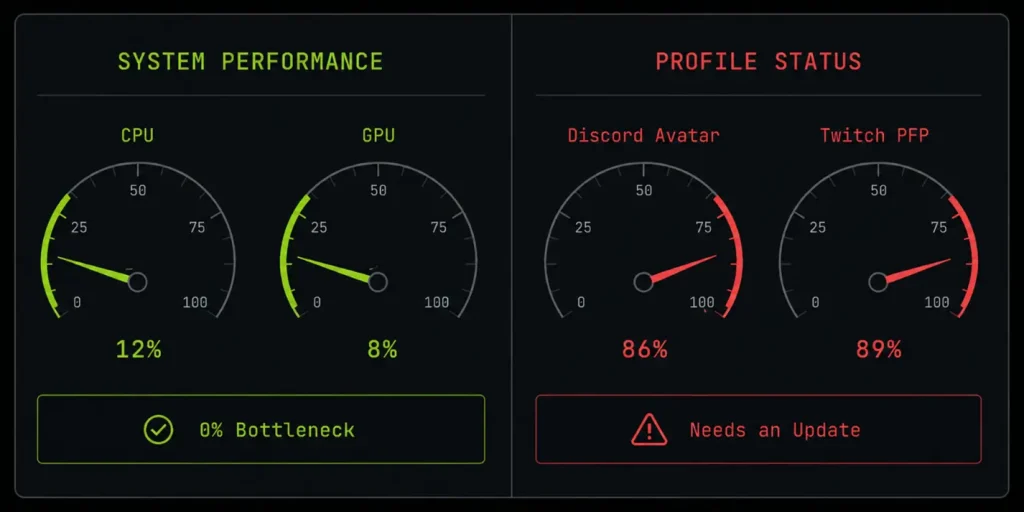
The Bottleneck Nobody Benchmarks
A hardware bottleneck slows down frame rates. A branding bottleneck slows down first impressions – a friend request that goes ignored because the avatar looks abandoned, a stream thumbnail that blends into a hundred identical ones, a Discord server icon that still says “Server 1” six months after launch. None of this affects FPS. All of it affects whether someone clicks, joins, or scrolls past.
The reason it gets ignored isn’t that people don’t care – it’s that fixing it feels disproportionately heavy. Opening a full design app to change one profile picture is like reinstalling Windows to clear a temp folder. The tool doesn’t match the size of the job, so the job just doesn’t get done.
Why a Full Editor Is the Wrong Tool for a Two-Minute Job
Photoshop, Canva, and similar platforms are genuinely good at what they do – full creative control, layers, precise typography, export pipelines. None of that is needed to make one clean profile picture or a quick text-based overlay. Loading a full editor for a task that’s really just “type a word, get an image back” adds friction that’s completely disproportionate to the task, and friction is exactly what causes people to keep using the same stale asset instead of updating it.
It matters more in a gaming context specifically, because the moment this usually comes up is mid-session – right before a match starts, right as a stream is about to go live, right when a new member joins a Discord server. There’s no time budget for a design app in that window. A tool built to do exactly one thing, instantly, is the only kind that actually gets used when the gap to fix something is that short.
The Brat Generator Aesthetic Made the Pattern Obvious
One of the clearest recent examples is the wave of tools built around Charli XCX’s 2024 “Brat” album look – a lime-green background, lowercase condensed type, a soft blurred edge. The free brat generator at EzaInfoZone is a good case study of what a single-purpose tool actually looks like in practice: type a word or short phrase, get that exact aesthetic back instantly, with export presets already sized for Discord avatars, Twitch panels, and social profile pictures – no account, no layers, no learning curve.
It’s a small tool, but it maps directly onto the gaming-setup problem. A gamer who wants a quick, current profile picture for a Discord server or a stream doesn’t need a design system – they need one clean image, sized correctly, in under a minute. That’s the entire job a tool like this is built to do.
Where It Shows Up: Discord Avatars, Twitch Pictures, and Clip Thumbnails
- Discord avatar and server icon – the first thing a new member sees before reading a single message. A quick pass through a brat generator or similar single-purpose tool turns a stale default image into something current in about as long as it takes to load Discord itself.
- Twitch or YouTube profile picture – especially during a rebrand, a new game focus, or a seasonal theme, where redoing a full channel graphic package isn’t worth it but the profile picture still looks outdated.
- Clip and highlight thumbnails – text-based thumbnails in a consistent, recognizable style perform better for repeat viewers than a fresh design every time.
- Shared squad or clan branding – a consistent profile picture look across a whole team takes one shared export, not five separate design sessions.
A Quick Checklist Before You Go Live
- Check your Discord avatar and server icon the same way you’d check GPU usage – if it hasn’t changed in months, it’s probably due.
- Match your profile picture size to the platform instead of uploading one image everywhere and letting each site crop it differently.
- Keep visual branding consistent across Discord, Twitch, and X if you stream or run a community – mismatched profile pictures make a setup look less put-together than the hardware behind it actually is.
- Reach for a single-purpose generator for anything that’s really a one-field job – save the full editor for projects that actually need layers and precision.
None of this replaces the work of actually balancing a CPU and GPU – that’s still where the real performance gains live. But a rig that’s perfectly tuned still gets judged, in the first half-second, by whatever profile picture is sitting next to the username. That’s a bottleneck worth clearing too, and unlike a GPU upgrade, it doesn’t cost anything or take longer than the loading screen of the last game you closed.
About the author: This piece was contributed by the team at EzaInfoZone, which publishes a free browser-based brat-style text and album-cover generator with export presets sized for Discord, Twitch, and social profile pictures – no signup required.